Minecraft Bedrock Stuck at 73% (or 39% or 80%) While Loading: Why It Happens and How to Fix It
Since version 26.60, Minecraft Bedrock for Windows gets stuck on the loading screen and never gets past it. It happens on 2-core PCs. Here is how to check whether that is your case and how we fixed it, without reinstalling anything and without touching your worlds.
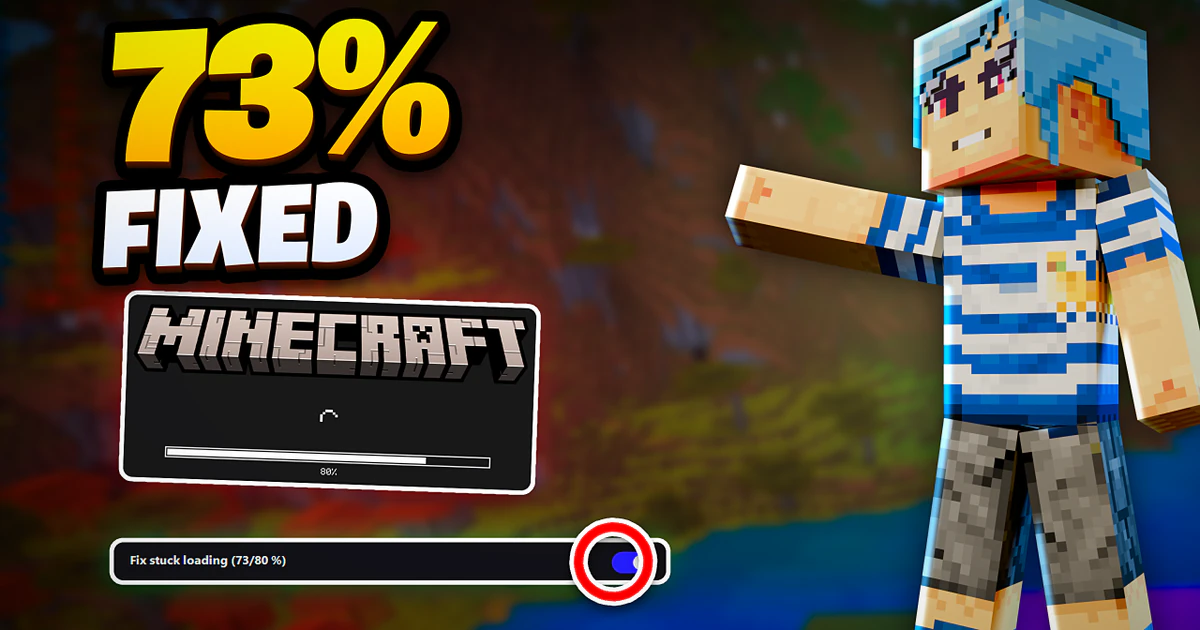
What is going on?
You open Minecraft, the logo shows up with the loading bar, it moves along normally and then it stops: at 73%, at 80% or, on some PCs, at 39%. You can wait as long as you want, it never finishes. In the reports Mojang gets, one player says they left it 45 minutes at 39%, and all they got was a jump to 73% and another wait there.
The confusing part is that the game does not look frozen. Windows does not show "Not Responding" and the screen stays up as if it were still working, so you think you just need to be patient. You don't: it is not getting past that point.
It started with the 26.60 update, from the end of October 2026, and it is a bug in the game, not in your PC. Mojang tracks it as MCPE-243914, open and still unfixed. As of November 1 it had 47 votes and 13 duplicate reports from people with the same problem, and one of them says it plainly: it happens on 2-core processors.
Why does it only happen on some PCs?
Because it depends on how many cores the processor has. We checked it on our own PC, which has 32 GB of RAM and an NVIDIA graphics card: we limited the game to 2 cores and it stopped at 80%, just like in the reports. With 4 cores, the same PC loaded all the way to the menu with no problem.
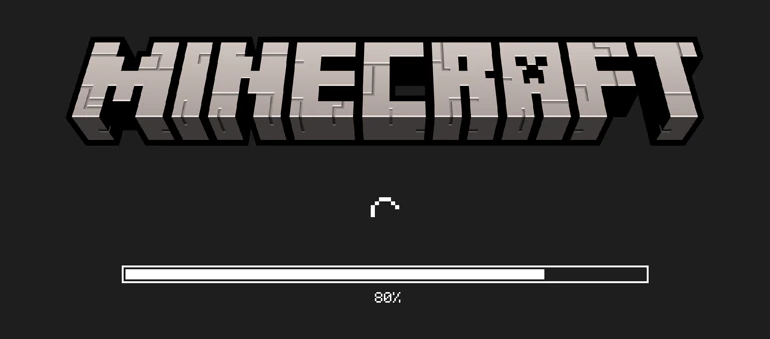
So it is not a lack of RAM or of a graphics card, and it is not something you broke: with 2 cores, the 26.60 loading gets stuck on its own. That is why it mostly hits low-end PCs, like many that come with a Celeron or some Pentiums.
It does not matter where you open the game from, either. One of the reports to Mojang says the same thing happened with the official Minecraft Launcher and with clients like Flarial: the problem is in the game, not in the program that opens it.
How do I know if my PC has 2 cores?
Before fixing anything, make sure this is your case. Windows tells you without installing anything, and the most direct place is the System Information window. To open it, follow these steps:
- Press Windows + R.
- Type
msinfo32and press Enter. - In System Summary, find the Processor line and read the end: it says how many "Core(s)" and how many "Logical Processor(s)" it has.
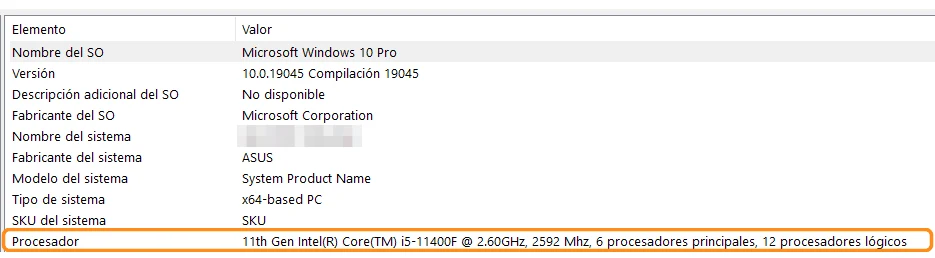
The number that matters is logical processors. If you prefer Task Manager, it shows the same number: press Ctrl + Shift + Esc, open the Performance tab, choose CPU and "Logical processors" shows up at the bottom. If you don't see the tabs, click More details first.
With 4 or more, this fix is not for you: in our tests, with 4 cores the game loaded normally. If it still gets stuck, it is a different cause, and that is what the guide on when Minecraft Bedrock won't open is for, going from the simplest step to the last one.
How to fix it with JuanseUnlock Launcher
Until Mojang releases a version that fixes it, the way we found to make the game load on a 2-core PC is the one built into our launcher. It is in the Extra tab, it turns on with a switch and it does not change your game version or your worlds. To turn it on:
- Download JuanseUnlock Launcher (version 1.2.2.1 or newer) and open it.
- If your PC has 2 cores, a notice that says "Your game will get stuck loading" shows up as soon as it opens. Click Use the fix and you're done.
- If the notice did not show up or you clicked Not now, go to the Extra tab.
- In Fix stuck loading (73/80 %), turn on the switch on the right.
- When "Done. The game no longer gets stuck at 73/80 % while loading" shows up, click OK and open Minecraft.
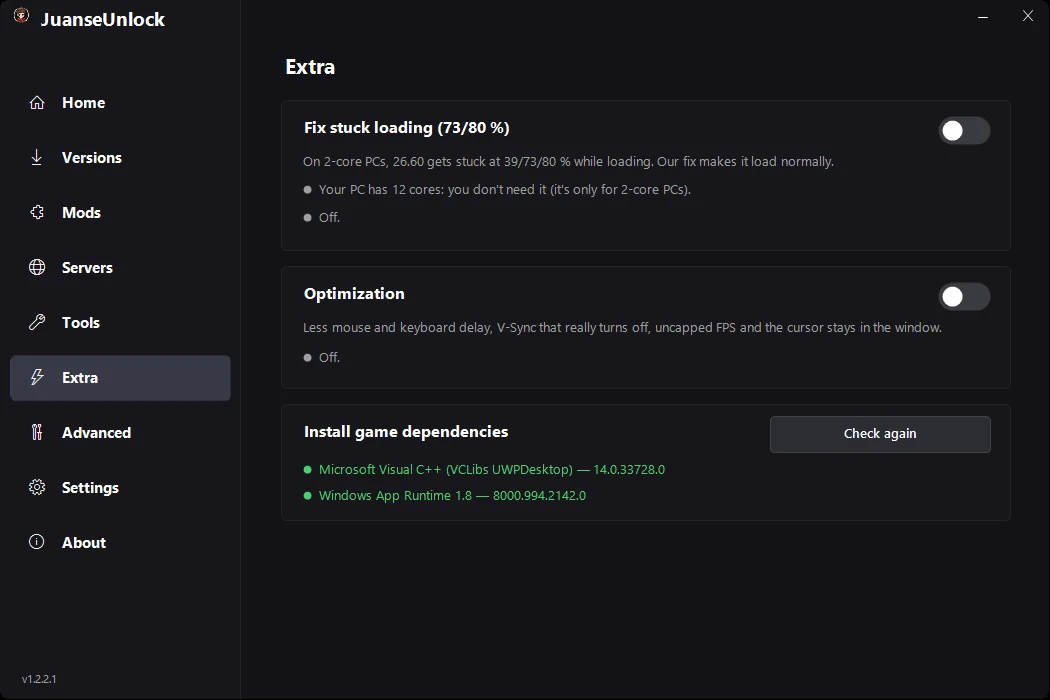
Look at the line under the title: the launcher tells you how many cores your PC has and whether you need the fix. On a PC with more than 2 it asks before turning it on, because there it changes nothing. If the launcher can't find the game installed, the same tab tells you. And if you later switch versions from the launcher, the fix stays on.
What about my worlds?
They are not touched. The fix does not reinstall the game, does not reset anything and does not go into the folder where your worlds are saved, so everything of yours stays where it was. If you want to remove it, it is the same switch: turn it off and the launcher takes it out of the game right away.
What I do recommend is not using "Reset" in Windows settings to try to fix this. It does not fix it, because the problem is the number of cores and that does not change, and on older versions of the game Reset can delete your worlds. If you want a copy just in case, the guide on where your worlds are saved shows how to make one in a minute.
What does not fix it
If you searched before landing here, you probably saw the usual advice: repair the game, reinstall it, update your drivers, reinstall Gaming Services or clear the Microsoft Store cache. Those help with other problems, but not with this one, for the same reason: none of them changes how many cores your processor has.
So don't waste time or risk your worlds on that. If your PC has 2 logical processors and the game gets stuck at 39, 73 or 80%, the fix in the Extra tab is what you need.
When will Mojang fix it?
There is no date. As of November 1, 2026 the report is still open with no fix version; when Mojang fixes it, it will show up in an update's patch notes. When that day comes, you can turn off the fix in the Extra tab and leave the game the way it ships.
Frequently asked questions
Is it safe? Isn't it a virus?
The launcher, version 1.2.2.1, went through VirusTotal on November 1, 2026: 0 out of 71 antivirus engines flag it. The fix only acts when you open Minecraft, and you remove it with the same switch in the Extra tab.
Do I have to open the game from the launcher?
No. Once it is on, the fix loads with the game even if you open it from the Start menu or from the Xbox app.
Does it work on Xbox, phones or PlayStation?
It is not needed there: Mojang has the bug logged only on Windows, and this fix is for PC.
How do I remove it?
In the Extra tab, turn off the "Fix stuck loading" switch. The launcher takes it out of the game right away and tells you "The loading fix was removed."
The game updated and got stuck at 73% again
If you switch versions from the launcher, the fix stays on by itself. If the game was reinstalled or updated outside of it, the Extra tab says "On, but missing from the game (was it reinstalled?)": click it and the fix is back in place.
Does reinstalling or "Repair" help?
Not for this bug. It depends on how many cores your processor has, and that does not change by reinstalling or repairing.
You might also need
- JuanseUnlock Launcher: the download and everything it includes
- If your PC has 4 cores or more and it still won't load: the 8 fixes
- It loads now but runs slow: how to raise FPS on a basic PC
- Where your worlds are and how to back them up
Sources
- The main report: Mojang, MCPE-243914 "Minecraft Bedrock Loading screen stuck at 73%".
- The report that ties it to 2-core processors: MCPE-244010.
- The 45 minutes at 39%: MCPE-243979.
- The same with the official Minecraft Launcher and other clients: MCPE-244007.
- We ran the 2- and 4-core tests and took the System Information and Extra tab screenshots on a PC with Windows 10 and Bedrock 26.60 (1.26.60.5) on November 1, 2026.