JuanseUnlock V3
It detects the version of Minecraft Bedrock you have installed, fixes its bugs and optimizes it in a single click. Reversible and built for low-end PCs.
Main Features
It finds your Minecraft Bedrock and recognizes which version you have installed. You don't need to know or look for anything.
Applies the performance improvements and fixes that match that version of the game, all in one click.
Opens even on PCs with no graphics card or driver: if there's no GPU, the interface is drawn by the processor.
It does not edit or delete the game's original files: it adds the components next to them. The Uninstall button leaves everything as it was.
You pick the language the first time you open it. The whole app stays in the one you prefer.
The app checks its own fingerprint (SHA-256): if you downloaded a tampered copy from somewhere else, it warns you. Juansekill's own code.
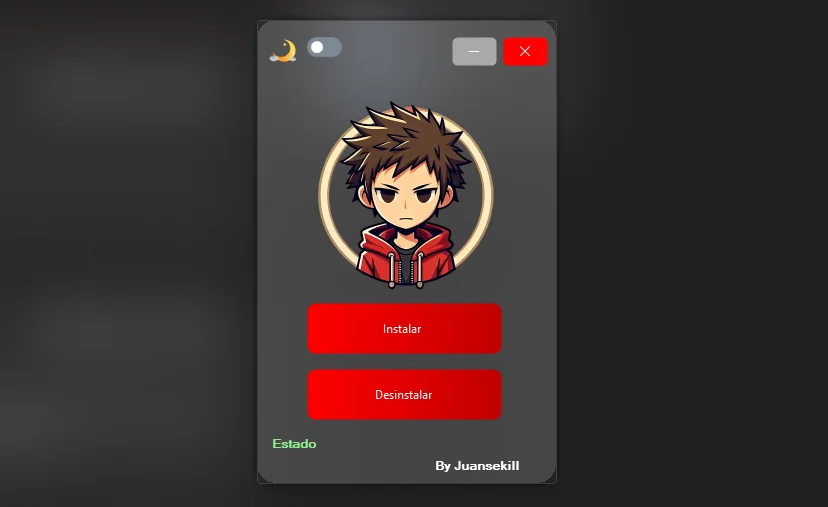
What JuanseUnlock looks like
Screenshots of version 3.1.1.5, exactly as it looks when you open it.


Patch Notes · v3.1.1.5
What this version brings, told by what you'll notice. Everything comes inside the app: nothing to download or install separately.
- It opens even without a graphics card. If your PC has no GPU or is missing the drivers, the interface is drawn by the processor instead of not opening at all. Before, on those PCs, you double-clicked and nothing happened.
- The game no longer closes because of a missing component. That Minecraft error saying "your game crashed" is almost always a Windows component (the C++ runtime) that isn't there. The app detects it and installs it on its own before touching the game, so you never even see the error.
- You install and uninstall with one click, and it can be undone. It doesn't edit or delete the game's files: it adds its own next to them. Uninstalling leaves everything as it was.
- It tells you which Minecraft version it found. It detects your Bedrock and shows the version before touching anything. You don't need to know or search.
- About: your version and the file fingerprint. To check your copy is the official one, plus a button to repair if the game won't open.
- In Spanish, English and Portuguese. You pick the first time you open it, and the whole app stays in that language.
Installation and Usage
Quick guide to install and use JuanseUnlock V3 correctly.
Differences from V2 and the Launcher
V3 is the straightforward desktop version: you open it, it detects your game and patches it. No version management or extra menus.
- V3 vs V2: V3 was rebuilt from scratch, with better compatibility on Windows 10/11 and now it even opens on PCs without a graphics card.
- V3 vs Launcher: The Launcher includes Minecraft version management and more advanced features. V3 is lighter and more straightforward.
- Recommendation: If you have Minecraft installed from the Microsoft Store, use the JuanseUnlock Launcher. For everyone else, V3 is the ideal choice.
Download JuanseUnlock V3
Only official and completely safe version.
Security Analysis (0 Detections)